
আপনি কি দেখতে পাচ্ছেন কে আপনার TikTok সংরক্ষণ করেছে? (আপনার কনটেন্ট সুরক্ষিত রাখার গাইড)
Have you ever wondered who is saving your টিকটক videos? With millions of people watching and interacting with content daily, it’s completely normal to feel curious — or even worried — about who might be downloading your videos.
The problem is that TikTok doesn’t clearly show this information, leaving many creators confused about their content privacy and control.
But don’t worry — in this guide, you’ll discover whether you can see who saved your TikTok, what data TikTok actually provides, and how you can protect your videos from being downloaded or misused.
Can You See Who Saved Your TikTok?
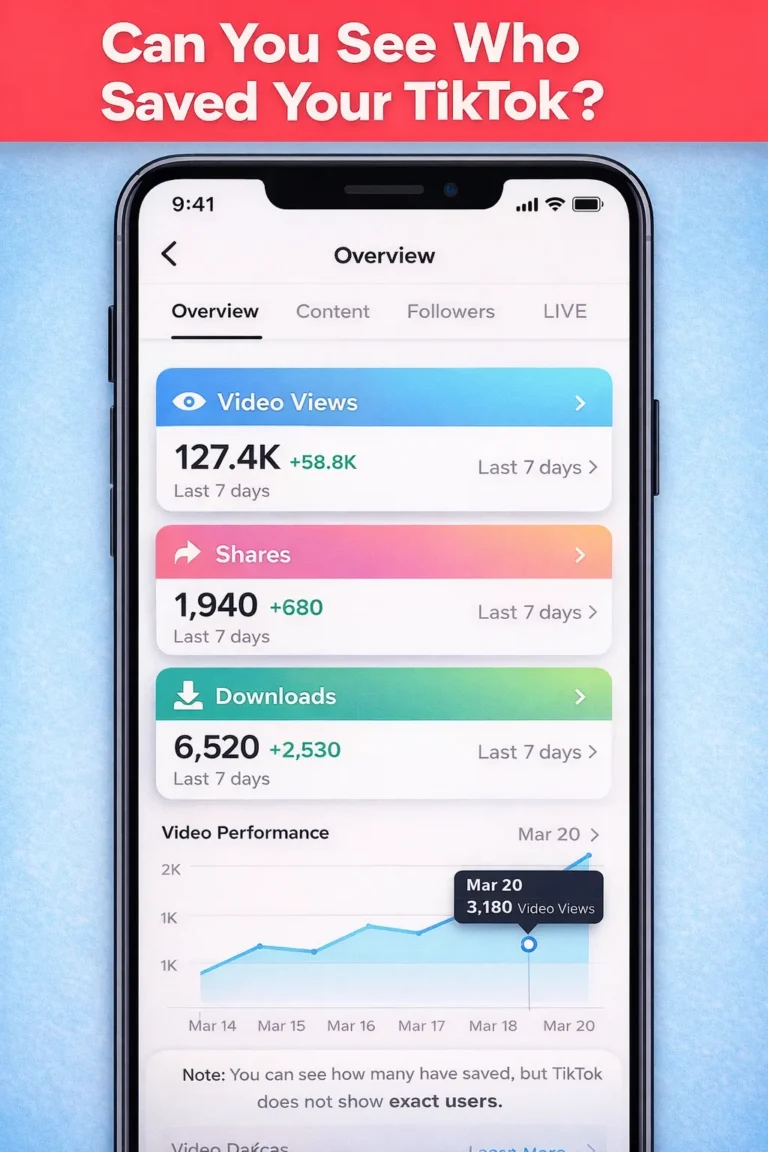
No, TikTok does not allow you to see who saved your videos.
While TikTok provides useful analytics such as views, likes, shares, and engagement, it does not reveal the identity of users who download or save your content. When someone saves your video, it is stored privately in their collection, and this action remains completely anonymous.
This means that even if hundreds of people download your TikTok video, you won’t be able to see exactly who they are.
What Happens When Someone Saves Your TikTok?
When a user saves your TikTok video, it gets added to their private saved collection inside the app. From there, they can watch it later or keep it for personal use.
TikTok only shows you general data, such as how many times your video has been downloaded or shared. However, it does not provide any personal details about the users.
This system is designed to keep user activity private while still giving creators an idea of their content performance.
Why TikTok Doesn’t Show Who Saved Your Videos
TikTok focuses heavily on user privacy and engagement.
If users knew that creators could track their activity, they might feel uncomfortable interacting with content. To maintain a smooth and engaging experience, TikTok keeps actions like saving, sharing, and reposting anonymous.
This approach benefits users but can feel limiting for creators who want more control over their content.
How to Prevent People from Saving Your TikTok Videos
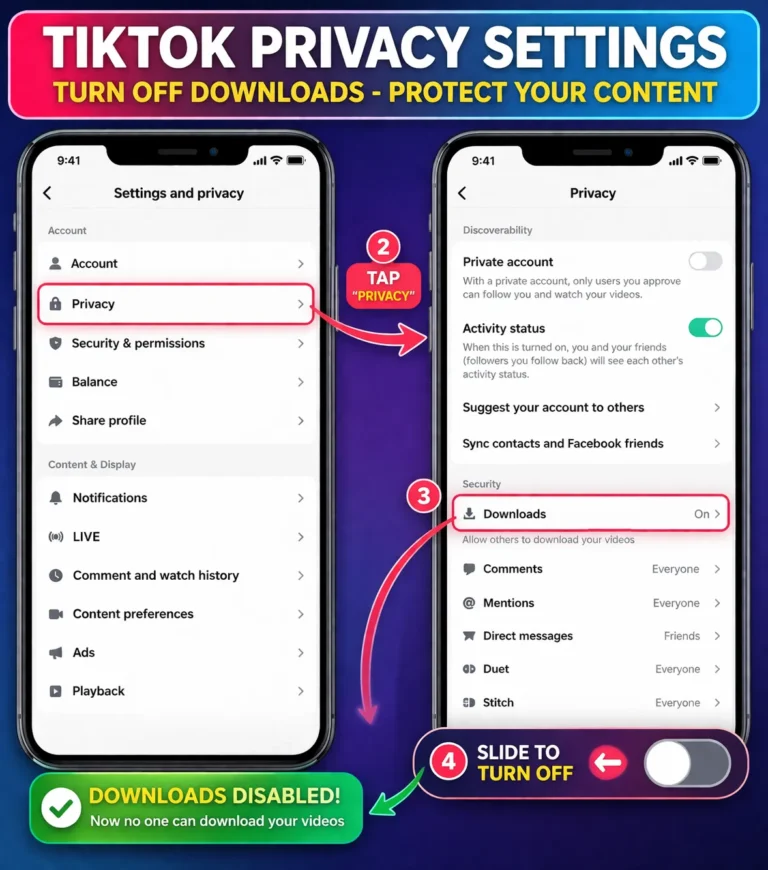
If you want to protect your content, TikTok gives you the option to disable video downloads.
To do this, open the TikTok app and go to your profile. From there, access the menu and navigate to Settings and Privacy. Inside the privacy section, you’ll find the ডাউনলোডসমূহ option. Simply turn this setting off, and other users will no longer be able to save your videos.
Once disabled, your content will be more secure and less likely to be downloaded without your permission.
Requirements to Download TikTok Videos Online
To download TikTok videos smoothly, you only need a few basic things. A device like a mobile phone, tablet, or computer is required, along with a web browser and a stable internet connection.
You will also need the TikTok video link you want to download. Once you have that, the process becomes quick and effortless.
Can You See Who Liked, Shared, or Bookmarked Your TikTok?
TikTok allows you to see some interactions but not all.
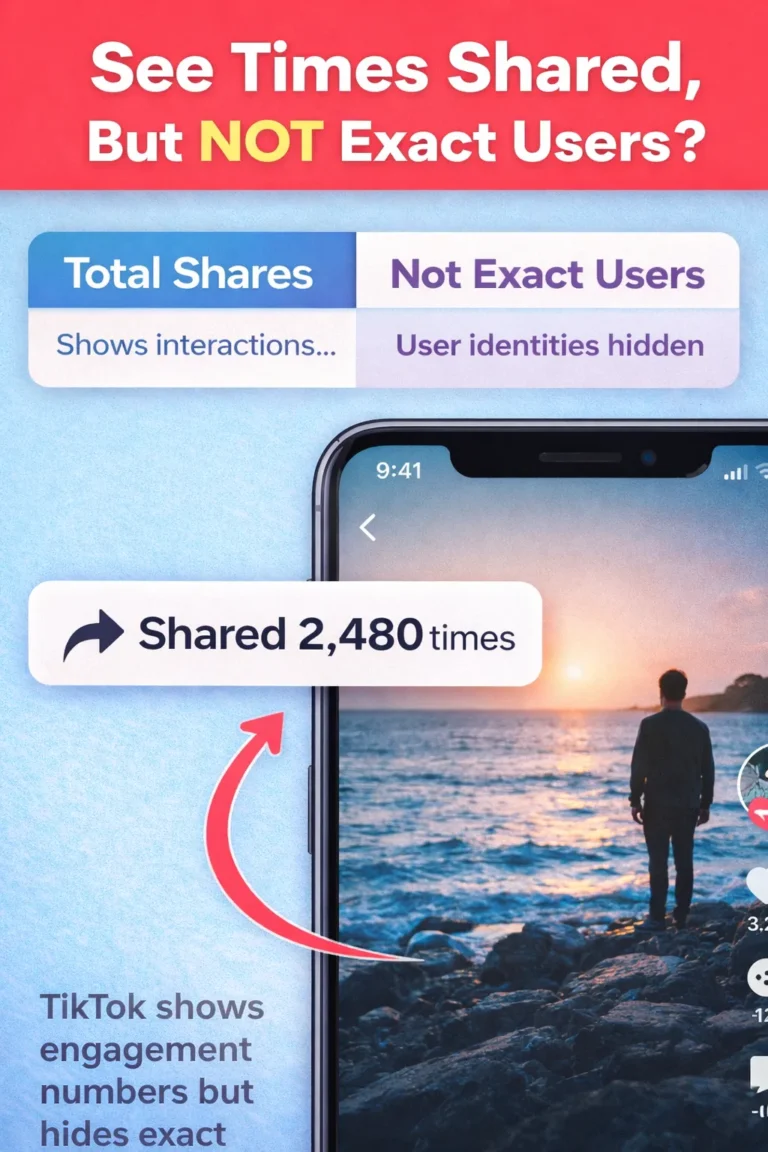
You can see who liked your videos through notifications. However, when it comes to shares, reposts, or saves, TikTok only shows numbers — not the identities of users.
This means that while you can track engagement, you cannot track specific user actions.
Best Ways to Protect Your TikTok Content
If you’re serious about protecting your content, there are a few things you should always keep in mind.
Avoid sharing sensitive or exclusive content publicly, regularly check your privacy settings, and disable downloads if needed. You can also set your videos to private if you don’t want them to be widely accessible.
Taking these steps can help you maintain better control over your TikTok videos.
ওয়াটারমার্ক ছাড়া টিকট ভিডিও ডাউনলোড করার উপায়
There are situations where you may want to download TikTok videos yourself, especially without watermark for better quality or reuse.
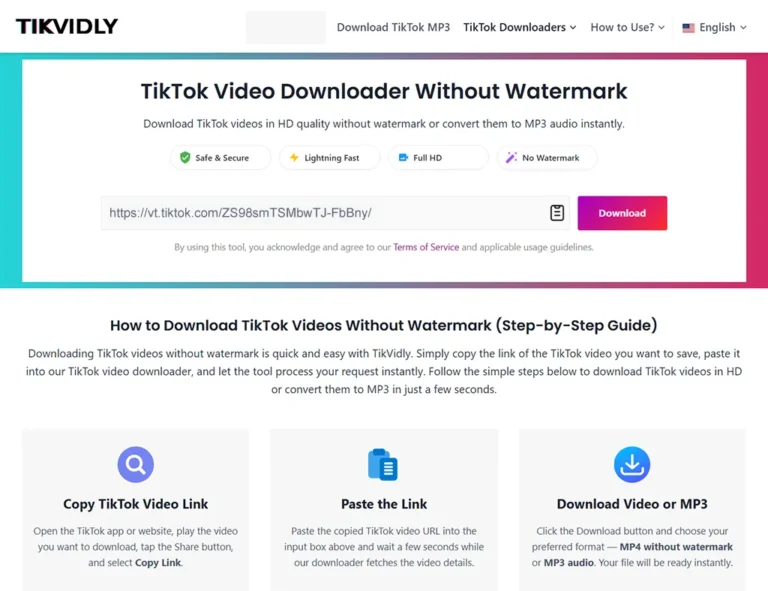
Using an online টিকটক ভিডিও ডাউনলোডার, you can easily download TikTok videos without watermark in HD quality. These tools allow you to save videos instantly without login and even convert them into MP3 format.
Simply copy the TikTok video link, paste it into the downloader, and download your video within seconds.
👉 You can use our tool here: ওয়াটারমার্ক ছাড়া টিকটক ভিডিও ডাউনলোড করুন
প্রায়শই জিজ্ঞাসিত প্রশ্নাবলী
Can you see who saved your TikTok videos?
No, TikTok does not show the identity of users who save your videos.
Can you see who liked your TikTok?
Yes, likes are visible in your notifications.
আপনি কি দেখতে পারেন কে আপনার TikTok শেয়ার করেছে?
No, only the number of shares is shown.
Can you download TikTok videos without watermark?
Yes, you can use an online TikTok video downloader to save videos without watermark.
শেষ কথা
TikTok does not allow you to see who saved your videos, but it does provide enough insights to understand how your content is performing.
If privacy is your concern, disabling downloads is the best option. And if you want to download TikTok videos yourself, using a reliable TikTok video downloader without watermark is the easiest and fastest solution.