
Download Tiktok Stories Without Watermark
Download public TikTok stories without watermark in HD quality. Save available TikTok stories online for free with no app or registration required.
 -
-
 -
-
 -
-
 -
-
 -
-
 -
-
How to Download TikTok Stories
Downloading public TikTok stories with TikVidly is quick and easy. Simply copy a TikTok profile URL or a direct story link, paste it into our TikTok Story Downloader, and save the available story without watermark in just a few clicks.

Copy Profile URL or Story Link
Copy a public TikTok profile URL or the direct story link from the TikTok app or website.

الصق الرابط
Paste the copied URL into the input box above and click the Download button.

Download Your Story
Download the available public TikTok story in HD quality without watermark.
Download TikTok Stories Without Watermark in HD
Sometimes you want to save a تيك توك story before it disappears. Whether it’s a video or an image story, TikVidly makes it easy to download available public TikTok stories without watermark using a public profile URL, username, or direct story link.
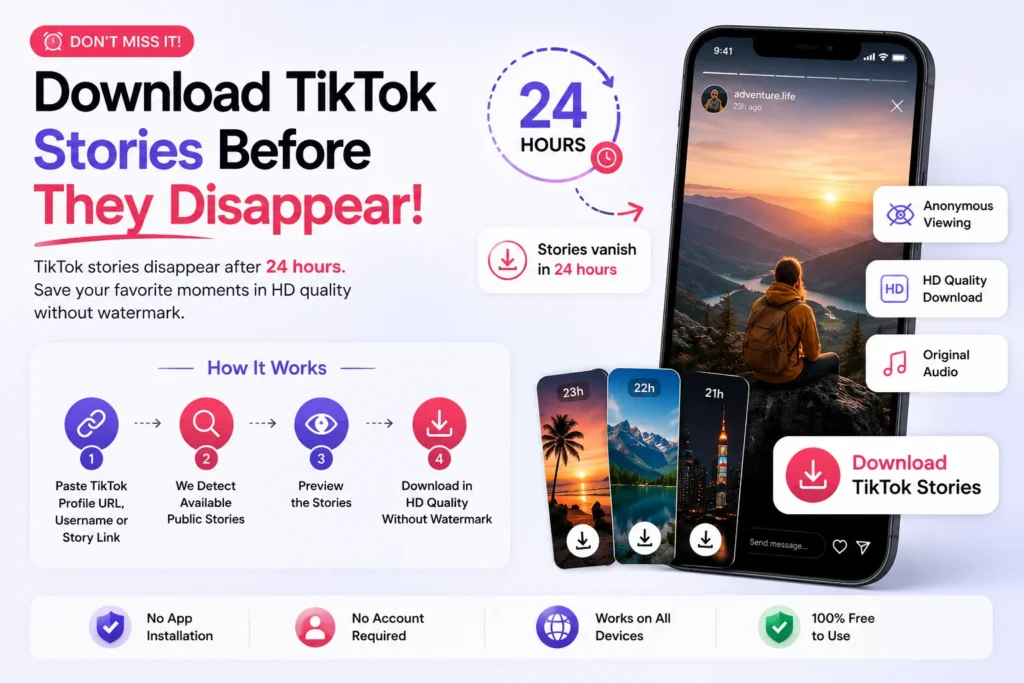
TikVidly is a free online TikTok Story Downloader that works directly from your browser. It also lets you view available public stories before downloading, making it a convenient TikTok Story Viewer for supported public content.
Need another format? You can also use our TikTok MP3 Downloader to extract story audio, TikTok Video Downloader to save videos without watermark, or TikTok Photo & Slideshow Downloader to download image stories or convert slideshows into MP4 videos with the original audio.
How to Download Multiple TikTok Stories
If a TikTok profile has multiple public stories, TikVidly will detect the first available public story when you use the profile URL. To download a different story, open that specific story in the TikTok app or website, tap شارك → نسخ الرابط, then paste the direct story link into TikVidly. Repeat the same steps for each public story you want to download.
Anonymous TikTok Story Viewer Online
TikVidly also works as a free TikTok Story Viewer online. You can view available public TikTok stories anonymously in your browser before deciding to download them, no login, no app, and no notification is sent to the creator. This makes TikVidly a safe way to check a story first, then save it in HD without watermark if you want to keep it.
Why Choose TikVidly as Your TikTok Story Downloader?
TikVidly makes downloading public TikTok stories simple. Whether you’re saving video or image stories, everything works directly from your browser in just a few clicks.
تنزيل بدون علامة مائية
Save public TikTok stories in HD quality without watermark.
Profile URL & Story Link Support
Download stories using a public TikTok profile URL, username, or direct story link.
Supports Videos & Image Stories
Download video stories and save image stories directly to your device.
Story Audio Downloader
Extract story audio as MP3 or download the original audio when available.
Story Viewer
View available public TikTok stories before downloading—no login or registration required.
يعمل على جميع الأجهزة
Compatible with Android, iPhone, Windows, Mac, tablets, and modern web browsers.
Pros and Cons of Our TikTok Story Downloader
الإيجابيات
السلبيات
Common TikTok Story Download Problems & Solutions
Having trouble downloading? Here are simple fixes for the most common problems users face.
Story Not Found
The story may have expired, been deleted, or is no longer publicly available.
Private Story
TikVidly can only download stories from public TikTok accounts.
Invalid Profile or Story Link
Copy the complete public profile URL or direct story link and try again.
Only One Story Downloaded
If a profile has multiple active stories, open the specific story, copy its direct story link, and download each story one by one.
Use To Download TikTok Stories Responsibly
Downloading TikTok stories is quick and convenient, but it’s important to respect content creators and use downloaded content responsibly.
احترام حقوق الطبع والنشر
TikTok stories belong to their original creators. Always get permission before reposting, modifying, or using someone else’s content for commercial purposes.
الاستخدام لأغراض شخصية أو تعليمية
Use downloaded stories for personal viewing, offline access, learning, or content inspiration. Avoid distributing or re-uploading content without the creator’s consent.
Credit the Original Creator
If you share or reference a TikTok story on another platform, consider giving proper credit by mentioning the creator’s TikTok username or linking to their original profile whenever appropriate.
الأسئلة الشائعة (FAQ)
إخلاء المسؤولية
TikVidly is an independent online tool and is not affiliated with, endorsed by, or sponsored by TikTok, Douyin, or ByteDance Ltd. All trademarks, logos, and brand names are the property of their respective owners. TikVidly does not host or store any media files. All content is accessed directly from publicly available sources provided by the original platform.