
Can You See Who Shared Your TikTok? What TikTok Actually Shows
TikTok creators often notice that one of their videos starts getting more views, likes, and reach in a short time. When that happens, many people check the share count and ask the same question: Can you see who shared your TikTok?
It makes sense to wonder. Shares are one of the strongest engagement signals on TikTok. When someone sends your video to a friend, posts it somewhere else, or shares it through direct messages, it can help your content reach more people. But does TikTok tell you exactly who did it?
The short answer is no. TikTok does not show a full list of users who shared your video. However, it does give you some useful information about shares, performance, and engagement. In this guide, you’ll learn what TikTok shows, what it keeps private, and how you can still use share data to grow faster.
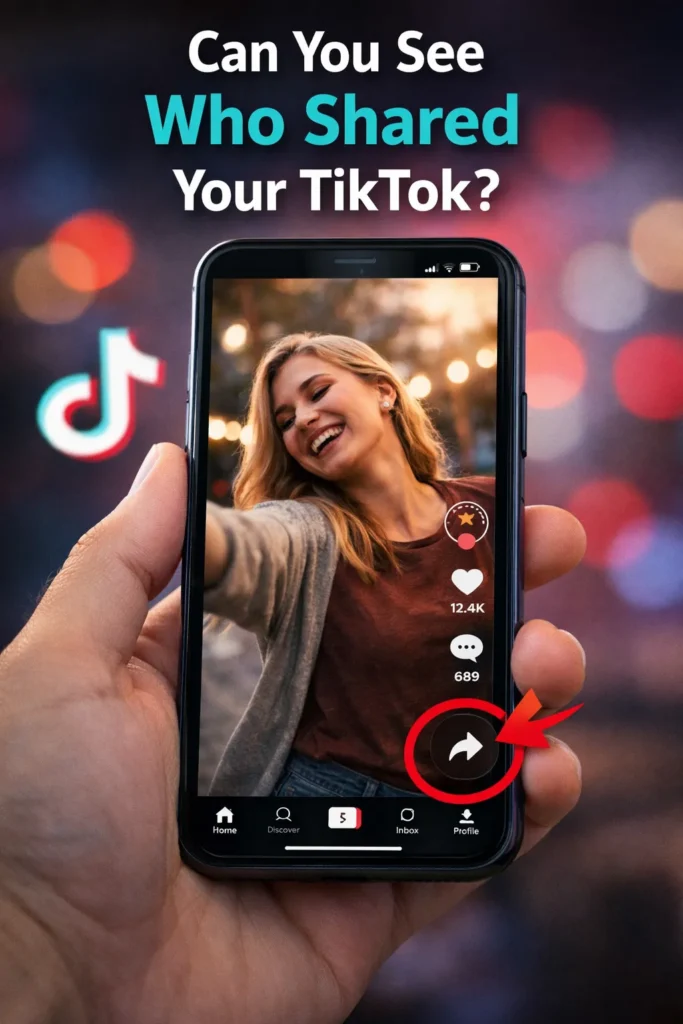
Does TikTok Show Who Shared Your Video?
No, TikTok does not reveal the names of people who shared your TikTok videos individually.
You may see the total number of shares on your video, but you cannot open a list that shows exactly who shared it. This applies to most users and creator accounts.
So if your video has 200 shares, TikTok may show the number, but it will not tell you whether those shares came from followers, friends, or random viewers.
That privacy system is similar to how many social platforms handle direct sharing.
What TikTok Does Show About Shares
Even though TikTok does not show names, it still gives creators helpful signals.
1. Share Count
Each video may show a share number. This tells you how many times users tapped the share button.
2. Video Performance Growth
If views suddenly increase after more shares, it often means people are sending your video around.
3. Analytics Data
If you use a creator or business account, TikTok analytics may provide deeper engagement insights such as:
- Total views
- Watch time
- Audience regions
- Follower growth
- Content performance
Shares are part of the bigger engagement picture.
How to Check Share Count on TikTok
If you want to see whether your content is being shared, follow these steps:
- Open TikTok
- Go to your profile
- Tap one of your posted videos
- Look for the share icon on the side or bottom area
- Check the number shown next to it (if visible)
Some app versions display numbers differently, but the share icon is the easiest place to start.
Why TikTok Does Not Show Who Shared Your Video
Many users ask why TikTok hides this information. There are a few likely reasons.
Privacy Protection
People often share videos privately with friends or in messages. TikTok protects that behavior by not exposing names.
Comfortable Sharing Experience
If users knew creators could track every share, they might hesitate to send content.
Platform Simplicity
Showing counts instead of personal data keeps the experience simple and clean.
In short, TikTok wants sharing to feel easy and natural.
Can You See Private Shares or Direct Messages?
No. If someone sends your TikTok through direct messages, group chats, or private channels, TikTok does not show you that person’s identity.
You may notice your share count increase, but private activity remains private. That means you should focus less on who shared it and more on what caused people to share it.
Why Shares Matter So Much on TikTok
Shares are powerful because they often signal strong content quality. When someone shares your video, they are basically recommending it to another person. That action can create more views and more watch time.
Shares can help with:
- Better reach
- More profile visits
- Extra likes and comments
- Higher chance of appearing on the For You Page
- Faster growth for small creators
Sometimes a video with average likes but high shares performs better than expected.
How to Get More Shares on TikTok
If you want your videos shared more often, create content people naturally want to send to others.
Make Relatable Content
Videos that describe common life moments are highly shareable. Example: work struggles, family jokes, student life, friendship moments.
Be Funny
Humor spreads quickly. If people laugh, they share.
Teach Something Useful
Short tutorials, hacks, and tips often get shared with friends.
Use Strong Hooks
The first few seconds matter. If viewers are interested immediately, they stay longer and may share later.
Trigger Emotion
People share content that surprises them, inspires them, or makes them feel understood.
Ask for Shares Naturally
You can say: “Send this to a friend who needs it.” That simple call to action sometimes works well.
How to Understand Share Performance Without Names
Even without seeing who shared your TikTok, you can still learn a lot.
Watch these signals:
Views Increase After Shares
If shares rise and views rise too, your video is spreading.
Comments Like “My Friend Sent Me This”
That means your content is being passed around.
New Followers After One Video
Shares often bring new audiences who then follow you.
Traffic Bursts
If an older video suddenly grows again, someone may have reshared it. These patterns matter more than usernames.
Common Myths About TikTok Shares
Myth 1: Creator Accounts Can See Every Sharer
False. Analytics may show totals, not names.
Myth 2: Third-Party Apps Can Reveal Sharers
Be careful. Many apps make false claims. Avoid tools asking for your login.
Myth 3: Shares Don’t Matter
False. Shares can be one of the strongest growth signals on the platform.
Save TikTok Videos for Inspiration with TikVidly
If you discover trending content and want to save it for research, inspiration, or offline viewing, TikVidly can help you download TikTok videos quickly and easily.
Many creators save examples of hooks, editing styles, captions, and trends to study what works. If you want to save trending clips for offline viewing, learn how to download TikTok videos without watermark using TikVidly.
FAQs
Can I see exactly who shared my TikTok?
No. TikTok does not show a personal list of people who shared your video.
Does TikTok show total shares?
Yes, many videos display a share count.
Do shares help videos go viral?
They can. Shares often increase reach and send positive engagement signals.
Can I see private message shares?
No. Direct message sharing is private.
Should I care more about shares than likes?
Both matter, but shares can be especially valuable because they bring new viewers.
Final Verdict
So, can you see who shared your TikTok? No, TikTok does not reveal the identities of people who share your videos. It only provides limited engagement data such as share counts and performance trends.
Instead of worrying about names, focus on the bigger opportunity: creating videos people want to share.
That is where real TikTok growth happens. When your content becomes worth sending to friends, followers, and group chats, the algorithm usually notices too. Want to save your favorite TikTok videos? Try TikVidly for fast and easy TikTok video downloads.