
How to Download TikTok HD Quality Video Without Watermark
TikTok is full of videos worth saving. Whether it’s a cooking tutorial, a travel vlog, a funny clip, or your own content, you probably want to save it in the best quality possible, not blurry or covered with a watermark.
Most downloaders give you a compressed, lower-quality version. But if the original video was uploaded in HD, you deserve to save it in HD. That’s exactly what TikVidly’s TikTok Video Downloader does: it lets you download HD videos quickly, for free, and without any watermark.
What Does HD Quality Actually Mean on TikTok?
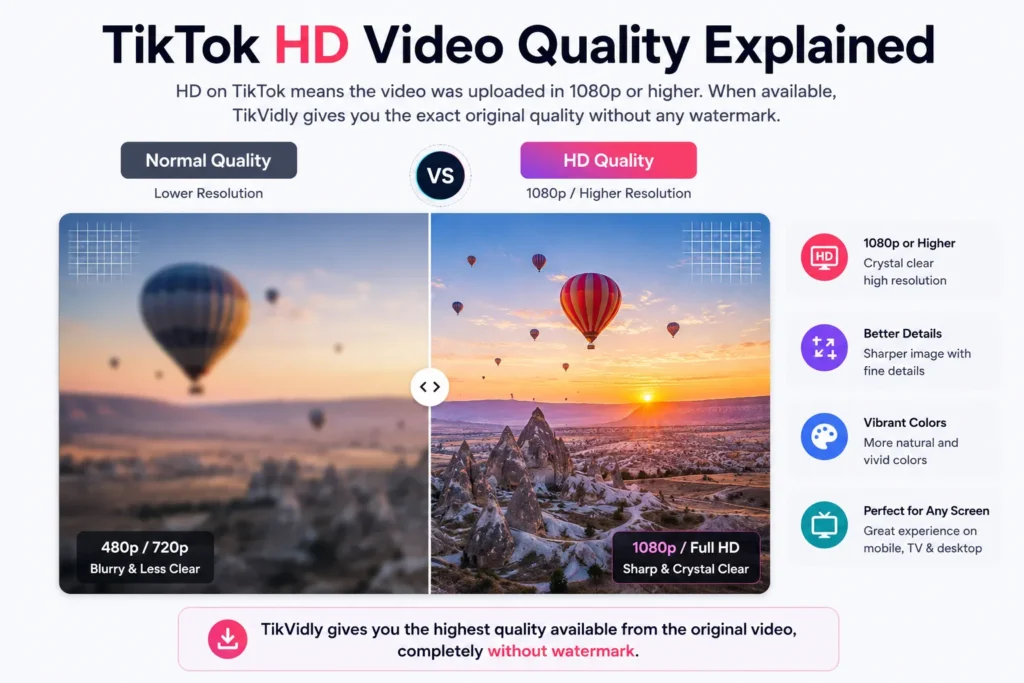
HD on TikTok typically means the video was uploaded at 1080p or higher resolution. When you download a video in HD, you get sharper visuals, better colors, and a much cleaner viewing experience — especially on larger screens like tablets, laptops, and TVs.
The important thing to understand is that no downloader can create HD quality that wasn’t there in the original upload. If a creator uploaded a low-resolution video, that’s the best version available. But if they uploaded in HD, TikVidly will give you that exact quality.
How to Download TikTok HD Quality Video Without Watermark
The whole process takes less than a minute.
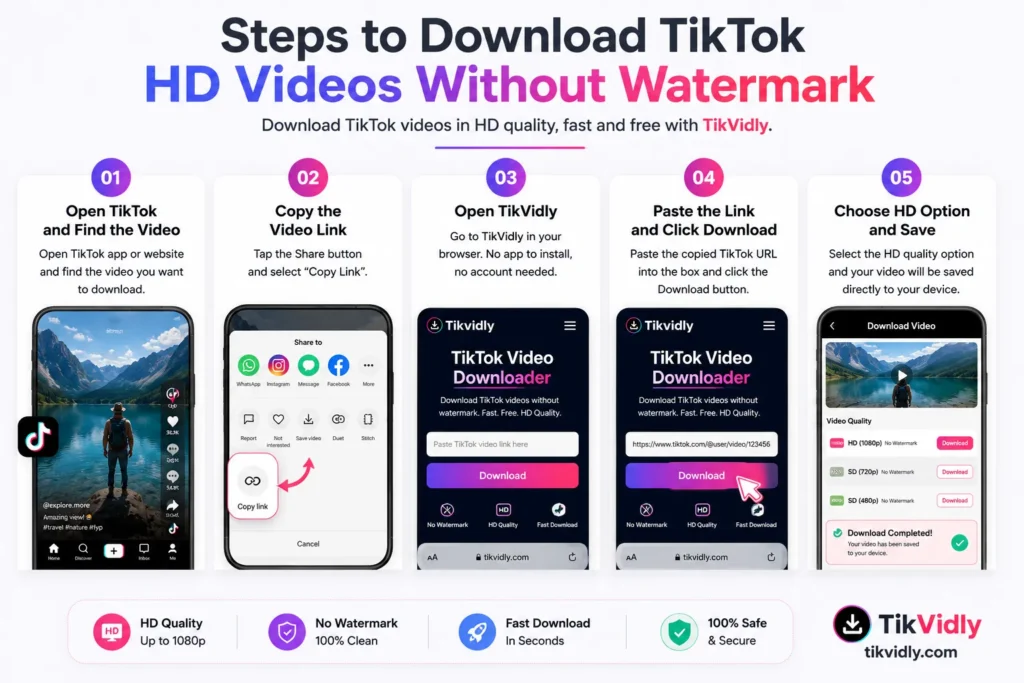
Step 1: Open TikTok and Find the Video
Launch the TikTok app or open TikTok in your browser. Find the video you want to save in HD quality.
Step 2: Copy the Video Link
Tap the Share button and select “Copy Link.” The video URL is now copied to your clipboard.
Step 3: Open TikVidly
Go to TikVidly’s TikTok Video Downloader in your browser. No app to install, no account needed.
Step 4: Paste the Link
Paste the copied TikTok URL into the input box and press the Download button. TikVidly will process the video and show you all available download options within seconds.
Step 5: Choose the HD Option
Select the HD download option. Your video will be saved directly to your device in high quality, completely without watermark.
Can You Always Download TikTok Videos in HD?
In most cases, yes but it depends on the original upload. If the creator uploaded their video in Full HD, you can download it in Full HD. If the original was recorded or uploaded at a lower resolution, that’s the maximum quality available. No downloader in the world can add resolution that wasn’t there to begin with.
To get the best results, always download from the original TikTok link and avoid re-uploaded or reposted versions of videos, as these are often already compressed.
Download TikTok HD Videos on Any Device
Android
Copy the TikTok link, open TikVidly in Chrome or any Android browser, paste the URL, and download the HD version directly to your device. No app installation required.
iPhone & iPad
Open Safari, go to TikVidly, paste the copied TikTok link, and save the HD video straight to your Photos. Works without any app.
Windows PC
Open any browser, paste the TikTok URL into TikVidly, and download the HD video in seconds. Works on Chrome, Edge, and Firefox.
Mac
Same process using Safari, Chrome, or any modern browser. Clean and simple.
Why Use TikVidly for HD Downloads?
There are plenty of TikTok downloaders online, but most of them compress the video or add their own watermark. TikVidly is different it gives you the highest quality available from the original source, without any modifications.
It’s completely free, works on every major device, requires no software installation, and processes downloads within seconds. You also don’t need to create an account or sign up for anything. Just paste the link and download.
And if you need more than just videos, TikVidly also supports downloading TikTok photos without watermark, converting TikTok slideshows to MP4, and saving TikTok audio as MP3, all from the same platform.
Tips for Getting the Best Video Quality
A few simple habits will help you always get the best possible quality:
Always copy the link directly from the original TikTok post, not from a reposted or shared version. Download as soon as possible after a video is published, since quality sometimes changes after re-encoding. Use a stable internet connection during download to avoid incomplete or corrupted files. And whenever TikVidly shows an HD option, always choose that over the standard quality version.
Troubleshooting Common Issues
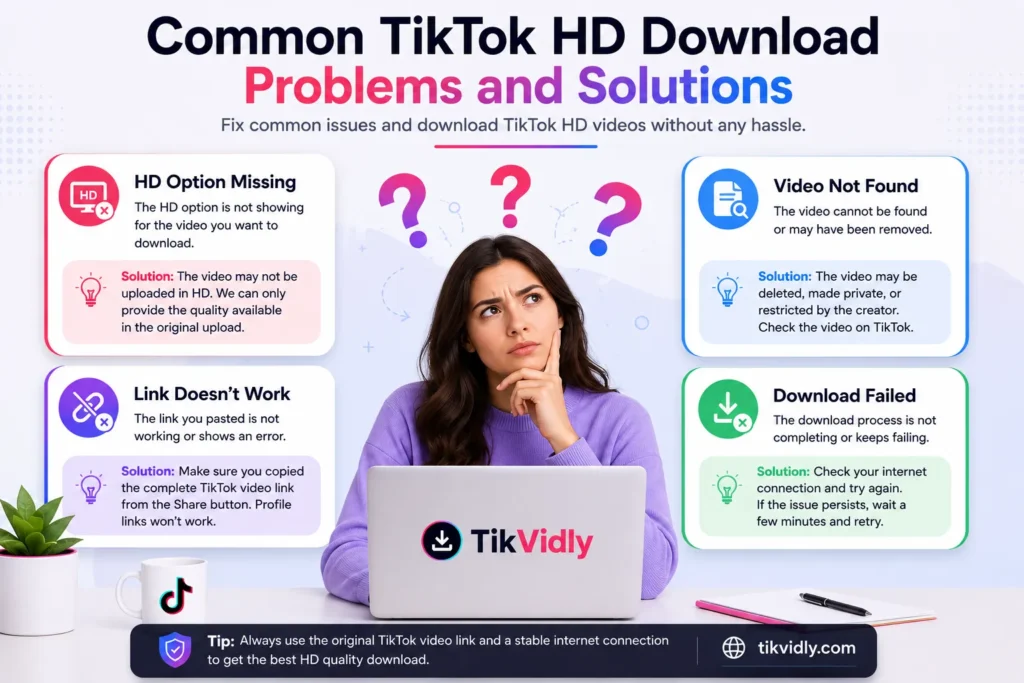
1. HD Option Is Not Showing
The original video was not uploaded in HD. The downloader can only offer what’s available in the source it cannot create HD quality from a lower-resolution upload.
2. Video Is Not Downloading
Make sure the TikTok link is correct and the video is publicly available. Copy the link again directly from TikTok’s Share button and try once more.
3. Video Cannot Be Found
The video may have been deleted, made private, or restricted by the creator. Check if the video is still visible on TikTok before trying again.
4. Download Is Slow
A slow internet connection or temporary server load can affect speed. Wait a moment and try again.
5. The Link Does Not Work
Make sure you copied the complete TikTok video URL. Profile links and username links will not work — you need the direct video link from the Share button.
Frequently Asked Questions
Can I download TikTok videos in HD for free?
Yes. TikVidly lets you download public TikTok videos in the highest quality available, completely free with no subscription or registration required.
Will the downloaded video have a watermark?
No. TikVidly provides watermark-free downloads whenever supported by the original video.
Do I need to install an app?
No. Everything works directly in your browser on any device.
Can I use TikVidly on my phone?
Yes. TikVidly works on Android phones, iPhones, iPads, tablets, laptops, and desktop computers.
Why is the video not available in Full HD?
The maximum quality depends on the original upload. If the creator uploaded at a lower resolution, it cannot be converted into true HD.
Is downloading TikTok videos safe?
Yes. As long as you use a trusted downloader like TikVidly and only download publicly available content, the process is completely safe.
Conclusion
Downloading a TikTok HD quality video without watermark is quick and simple with TikVidly. Copy the video link, paste it into the downloader, choose the HD option, and your video is saved in seconds on any device, for free.
If you regularly save TikTok content, TikVidly covers everything you need. Download HD videos, save TikTok photos without watermark, convert slideshows to MP4, download TikTok stories, or extract audio as MP3, all in one place.